
Know which devices can access each vault.
See every device on your account, approve new ones from a device you trust, and remove any you've lost.
See how it works →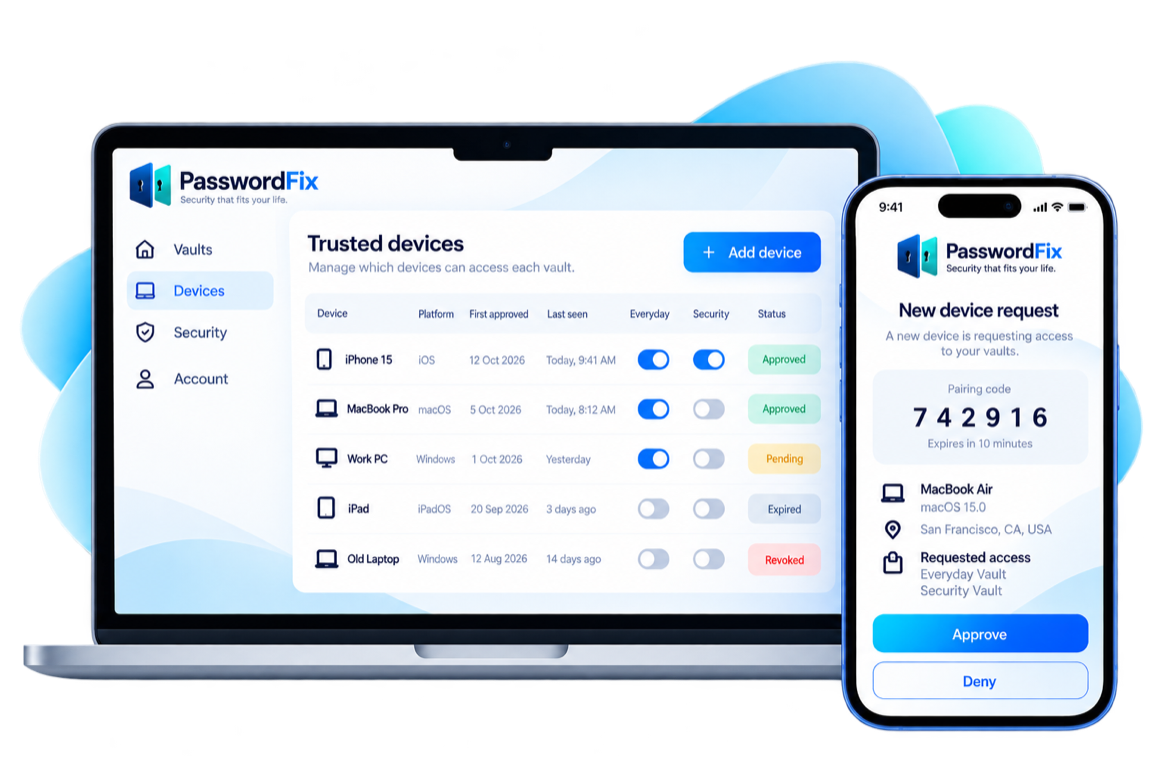
Device overview
A clear view of your trusted devices.
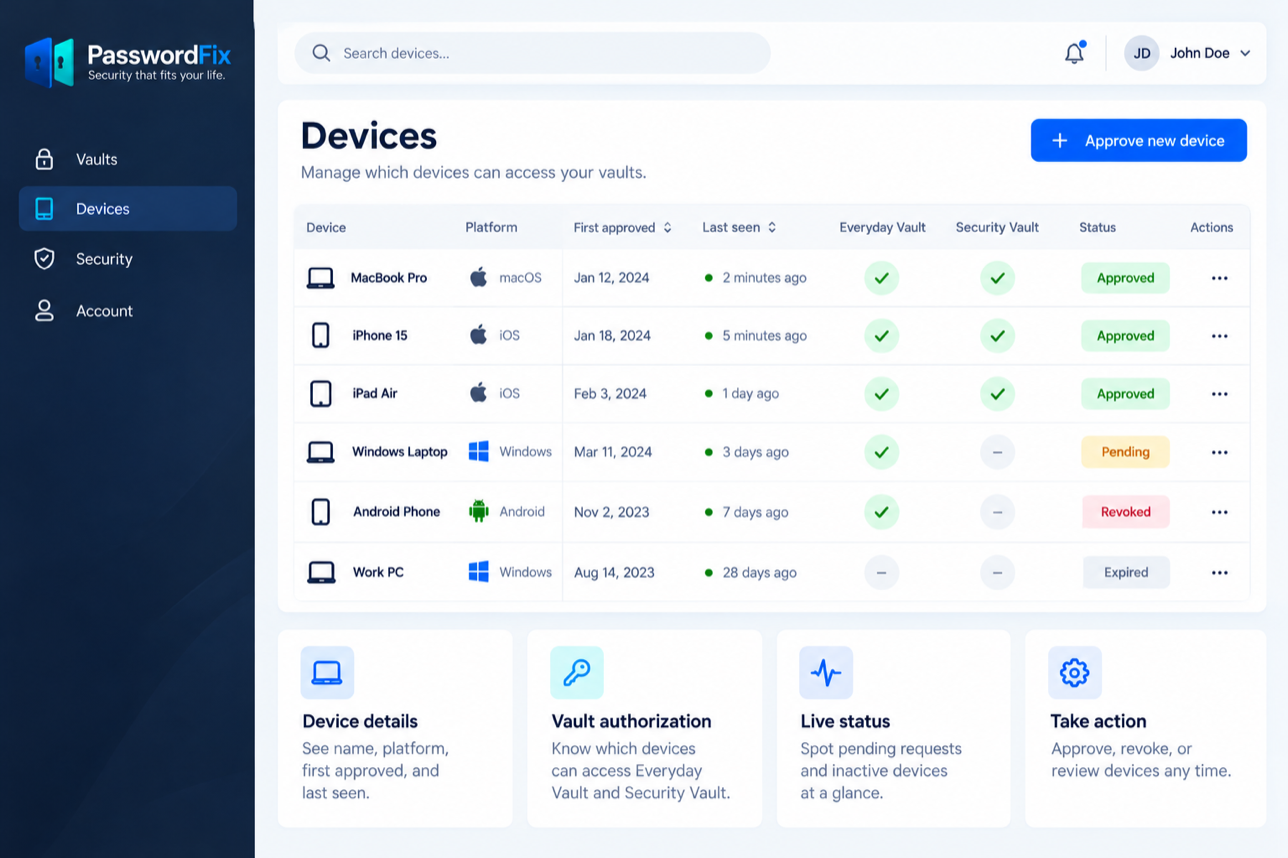
A device list shows name, platform, first approved, last seen, and which vaults each device can open. Your Emergency Safe only appears on phones and iPads.
-

Device details
See name, platform, first approved, and last seen.
-

Vault access
Know which devices can open each vault and your Emergency Safe.
-

Live status
Spot pending requests and inactive devices at a glance.
-

Take action
Approve, remove, or review devices any time.
APPROVE WITH CONFIDENCE
Simple, secure device approval.
Your trusted device gets a request. It shows which device it is, which vaults it wants and how long you have to approve. Check that the number on both devices matches, then approve.
-
Matching number
Check that the 2-digit number matches on both devices.
-
Requesting device details
See the device name, platform, and approximate location based on its internet address.
-
Requested access
See which vaults the new device is asking for.
-
Time limit
Requests expire if no one approves them.
Lost a device?
Take control when devices change.
Remove a lost or untrusted device from your account at any time. If you're worried, change your important passwords.
-
Remove the device
Remove a lost device from your account at any time. After that, it can't sync or get new keys.
-
Change your passwords
If you're worried, change your master password and your most important passwords.
-

Keep recovery ready
Print your Recovery Kit and keep your Safe Spare Key somewhere safe. We'll add more recovery tools as PasswordFix develops.
Plain-language states
Clear device states, no surprises.
Approved doesn't mean unlocked. Removing a device can't take back anything it already saw or copied.
-

Pending
Approval request waiting for your action.
-

Approved
Authorized to access specified vaults.
-

Removed
Can't sync or get new keys.
-

Expired
Request timed out and needs a new approval.